Hello, my name is Ibrahim Ali and I’m a level 2 student at Halesowen College studying a course in IT. Welcome to my blog about social, ethical and legal aspects of IT. Today I will be showing you below what they come under and their aspects.

Social aspects of IT
Starting any business can be an issue financially. But for social businesses, whose primary intent is to engage with local communities rather than to make profits. This can be difficult in the initial stages as it can also be difficult to convince investors to part with their money for a social cause. Social businesses work from within the community. As previously highlighted, ICT allows social businesses to continuously connect with people they wish to give the authority or power to do something in a direct and engaging way.

Local Communities

IT has helped us as people engage with others for example the elderly that cannot use public transport because of their age. It has boosted peoples confidence as humans because now we have social media and mobile phones to connect to the internet and talk with their families and friends. It also helps the community by raising money for charity online which can change peoples lives. Our local communities are helping, changing young and poor people’s lives and also the elderly who is in need of help.
Economic Effects
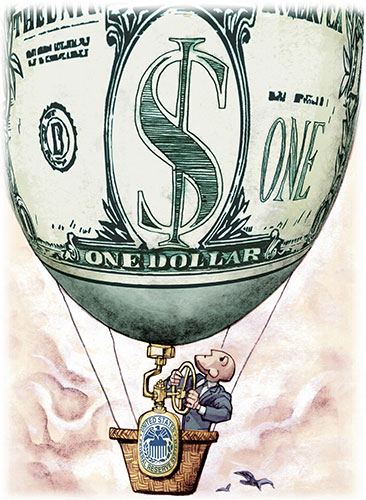
- GOOD – The good of economic effects are people with a connection can make a business for example two or more people can start making a business for more money. Another reason is because it is easy to make a website and make money for their business. Also we can advertise and set up a business online as it is very easy to advertise for people to have a look at. Finally we can send people special offers with their email online.
- BAD – The business must pay rent or mortgage in order for them to not lose their business. They would also have to also pay heating, council tax, insurance, water bills, maintenance bills, staff wages and lighting for products to be cool, whereas online when someone buys a product you receive a receipt and so you will pay less for rent. There are not as many people shopping because businesses are closing as they must pay which is bad for their business. Also, they don’t sell that much products where you can buy this for cheap online.
Sustainability

What is sustainability? Sustainability is when we keep something to be maintained at a certain level or we keep the same.
How do we Reduce, Recycle and Reuse? We should reduce the amount of carbon footprint we are using for example using your car and refilling for petrol which is bad for the environment. As a community we should be driving less as we should go easy on the gas and brakes — driving efficiently can help to reduce emissions. Regularly service your car to keep it more efficient. Check your tires. Keeping tires pumped correctly can reduce emissions. We should reuse and recycle old and used products for example your old computers which can be recycled into new components. This is better for the environment as we are letting out to much gas emissions that could kill us.
Legal aspects of IT
Legal means allowed by the law. In IT there are certain things you are allowed to do by law which is legal. For example: Laws and Taxes. When somebody wants to start up a company in the UK this person should notify the business revenue as soon as they know when their company plans to start a business. If this person starts as a sole trader, a partnership, or limited partnership he or she can register the company for the revenue and the trade register at the same time.
Copyright
Copy right has some points that cover your work which includes giving new meaning of work the author has done. The user will have to ask for permission to copy your work for example you would have to either buy it from them or to check for permission. Intellectual property law declares who owns it when something conceptual means it’s yours. Copyright is the concept that original works such as writing, photos or music belong to the people who create them and that you cannot use, copy, modify or publish that work without permission. If you violate copyright it’s called copyright infringement and you may face steep consequences such as lawsuits or criminal charges.
When a work has no copyright protection, it enters the public domain. Content in the public domain can be used, modified and published without permission or restriction. Although you normally need permission to use copyrighted material in your own work, there is an exception called ‘fair use’. Fair use allows you to use brief portions of copyrighted works without permission for certain types of use such as criticism, teaching and news reporting.
Plagiarism

Breaking a copyright, it is a knows as fraud. Pretending someone’s work as your own without your consent without incorporating without acknowledgement when you are stealing someone’s work. Using without crediting source is about fraud or creation. If you violate these conditions your work can be destroyed or you can even be taken to court, you can even end up in prison or be fined to £100 or more. You can pretend to be someone else and claim their work as your own without any consent. This can be an act of theft or fraud.
Ethical aspects of IT
Most people have their personal data spread throughout the world. Even things that are meant to be secure, such as email or private accounts. This can be accessed by using internet sources. Most employers actively check their computer to see if there is an issue with their privacy. Privacy has evolving legal implications, but there are also ethical considerations. Do people know how their accounts are monitored? To what extent is such monitoring occurring?
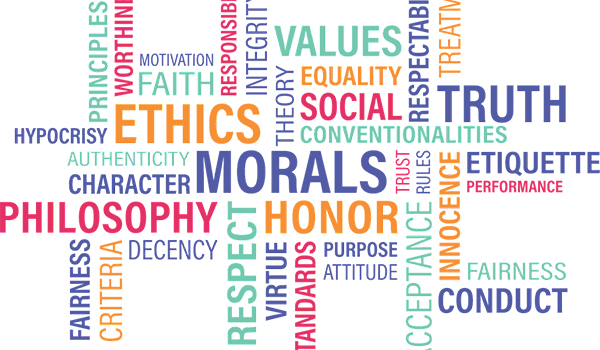
Privacy of information – everybody is entitled to their own information. Everybody has a right to keep their information private. The people who hold that data must keep this safe by law. They are known as data controllers people who protect data by law. The first law is called data protection app. Works with GDPR General Data Protection Regulation. You must stick by this or you will have to pay massive fines like £5000 or more. The CMA computer miss use acts have four different pats. 1. Unauthorized access is illegal to open a file on someone’s computer by law. 2. Unauthorized access with intent. Intention of doing something. 3. Unauthorized access and modification. 4. Creating any software that allows you to do.
Unequal Access – sometimes good and bad. The good – students might change their grades which they shouldn’t. This protects data and protects you. This can change data to hurt people. Unequal access being a bad point – when only one person has access to a moodle and no else cannot because it isn’t fair.
Why is the blog good at conveying information to a wide audience?
- Who can access your blog
The people that can access my blog are anyone with internet access and a link for my blog about social, ethical and legal aspects of IT. For example they can go on the internet and find my blog with a working link and see if they are interested to see what IT is all about. Most people that are looking at my blog can be influenced by getting a job within IT and this can be advertised and published on billboards. However, adults who are interested in IT can find my blog useful because they can use this as a step by step guide on the social, ethical and legal aspects of IT.
- What type of information can be included?
The information that could be in my blog are videos, animations and sounds because it is engaging for the user. This can consist of all types of multimedia. This cannot just be information or text because most people can learn from an image and a few lines of text. A blog can be made to appeal any audience types which they will have a better understanding of what they have just read, so now they know that not just text will help them understand but any type of media will.
- Editing and publishing the blog
Editing is making changes to a blog however, publishing is the process of production or information of making it available to the general public. Editing involves rewriting and rearranging your blog for example, editors check their format and structure of writing before they publish. On the other hand, publishing is making information and other content available to the public for free such as blogs, newspapers, magazines and all sorts.
Is there anything that the blog does not do well?
- Is it difficult to make a blog entry
No it isn’t because you can make a blog online. You can edit, publish and create a blog online however, it is not difficult unless you are really good at writing essays or someone who wants to promote a business. In a blog there can be a theme on what the actual blog will be about. There can also be a look and feel of a blog certainly this can be for professional, colourful and friendly to anyone.
- How easy is it to update an existing entry
It is very easy to update an existing entry blog as you need to keep your posts up to date. You can also add more information as there can be error typos so you must read before you update. You can include more graphic photos as this can help change the chances of people reading your blog post. Finally you need to get a fresh link to your updated content. After you finish updating and promoting your old blog post, it’s very crucial to get fresh links to your newly updated post.
Safety and Security
- Passwords/log in details
People who want more protection can add more security features so they can keep their blog a more secure and safe place. Your log in details are very secure as you will need to register or create an account however, this can go into further detail as you can go ahead and secure your account and add a two factor verification. This also can help your password as there will either be an uppercase letter or 8 numbers which will be harder for anyone to hack your account so this will more secure for users.
- Emails to register your account
If your creating an account you are making sure your account is safe and secure. You will have to register with a verified email so that the account knows it’s you for example you put your email to verify that the account is real. So then you would go to your actual email and you would receive an confirmation link to log in. Now the account will know that only you can log in with the verified email that you entered.
- CAPTCHA
CAPTCHA stands for Completely Automated Public Turing test to tell Computers and Humans Apart. It is a challenge-response test used in computing to determine whether or not the user is human. This is used as security to prevent spammers and hackers from using forms on web pages for malicious codes. CAPTCHA comes in different sizes and types but the main type is: The no CAPTCHA RECAPTCHA. User clicks the checkbox and gets judged as human.
What makes email safe to use?
- Securing of personal data
You will need an email account to verify that the account is yours. You will need a username and password to access the account so you can read and send emails. As you send emails to others they are encrypted to stop hackers from reading your emails that could be your private information. Nevertheless, encryption works with public emails and has private keys that make sure you and the person that you are sharing files with can see them. When you send an email the private and public key verifies that the email is only for the person and not for any one else.
- Data Protection
When you give your data to others this has to be protected by law. There are two data protection laws which are Data Protection act and the General Data Protection Regulation. You have to follow these laws as this could get worse like a fine up to £500,000.
- Firewalls
A fire wall is a network security system that monitors incoming and outcoming network traffic as this makes no unauthorised access can access your network. Firewalls have many ports as an example of this are emails and internet ports. Close any unused ports to stop port scanning by hackers as they can use this to access any confidential information. When you close the port there isn’t a way to they can get into your system.
Improving accessibility in a blog
- Choice of colours
You would only have a choice of three colours as this can be to much for a blog. The colours that you choose for a theme would have to match what your talking about. For example if you were to choose dark colours, you wouldn’t pick as much bright colours as you would choose darker colours. However if you were to talk about a theme that matches bright colours then you would pick those colours.
The colours that you choose will make the reader think about what they would prefer or the colours that you could change. For example if you chose a light green colour the reader wouldn’t like this but if you choose a colour like light red they would be impressed with this.
- Choice of text size
This allows readers to have the option of changing text size for example AAA text sizes allows them to select the best size of text for them. This will help access to my blog as people who have vision difficulties or impairments that will be able to adjust the size. Here below is an example of Font sizes.

- Contrast of text and background
contrast is achieved by using colours that are opposite each other on a colour wheel. Here is an example of a colour wheel.
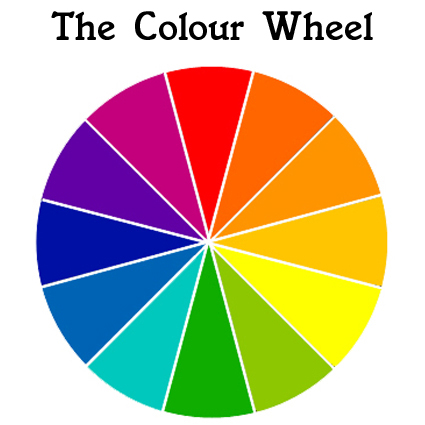
As you can see a dark text like black will work well on a light coloured background like white. Moreover, Le Courier’s table of legibility has black text on a yellow background that works best. A white background reflects light and will be difficult for your eyes and reduce the readability. Le Courier has many different options such as an off-white coloured background like pastel manilla or yellow will help consume the light but still providing good contrast to the dark text that will increase it’s readability and accessibility. Here is Le Courier’s table of legibility.

The green text on a red background and the red text on a green background shows that most 8% and 0.5% of males and females are colour blinded due to the high contrasts of red and green because they bright colours. This would be difficult to see the text as both colours are powerful you would not be able to see the text properly as this can affect people who have difficulties with colour blind symptoms.
- Choice of text font
My blog is open to anyone who is interested in IT so my text would be more clear by using the Arial text font which is not difficult to read. This is more clear than most fonts but mainly used for precision and state clear sentences. If my blog was aimed at children then using the Comic Sans would be clear as the letters are not together as children will recognise the shape of the letters. Script is also joined up and the letters are complicated for young children to understand. People have reading difficulties as they read 25% slower off a computer screen.
- Inclusion of images
Pictures are really understandable as users tend to know more by looking at a image rather than 1000 words of writing. Including images can reduce the amount of writing in my blog as users can see what I am writing about. Furthermore, most people are visual learners and images are very engaging for the user that will make the blog more interesting. Also some images can be animated and others include moving image videos.
- Tooltips for text readers
It is possible to add tooltips and Alt tags in my blog an example would be google homepage you put your cursor over the word google and the word Yahoo appears on your screen as it should say google.
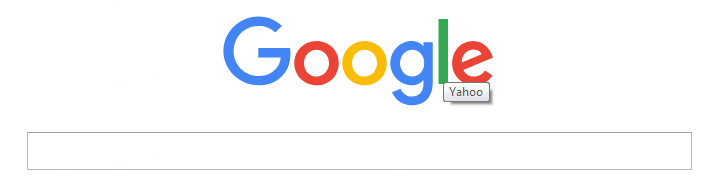
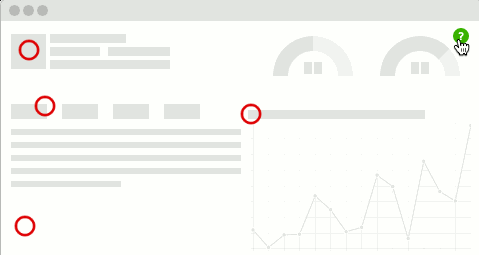
Moreover, if you use these correctly tooltips this will help visual impairment people as they have the option to text read on a software that reads tooltips out loud on their computer but their hearing is fine. This will help the accessibility in my blog that helps people understand content in the blog and web pages. Some tooltips require the user to type and click on a question mark to get the tip.
Your punctuation, grammar and spelling are very good and detailed there is nothing wrong with this by Malik McDermott 152534
 IBRAHIMS BLOG